Cozystack 1.7: ARM, Proxmox as a KubeVirt Alternative, and Automated VMware Migrations
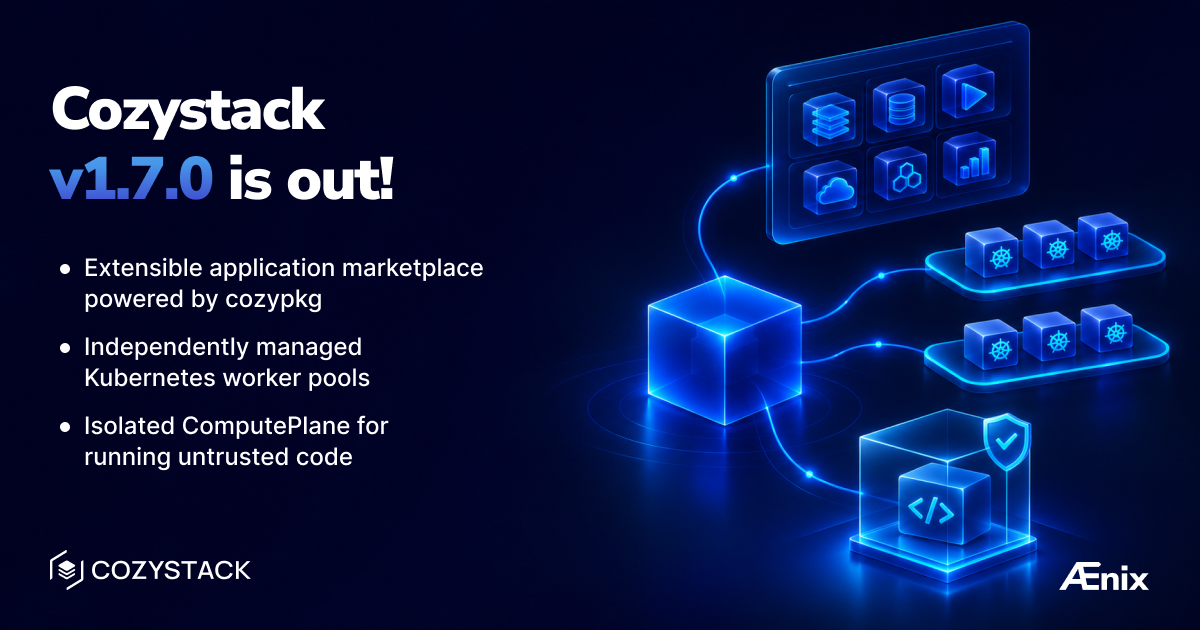
Cozystack v1.7.0 is now available. The release was published on October 29, 2026.
This release removes several of the usual reasons teams give for putting off a move to the platform. It is aimed at those who already run Proxmox VE and want to keep it, those leaving VMware and wondering how to bring their virtual machines along, and those who cannot expose a database without encryption or back up anything other than PostgreSQL.
The upgrade surface is large. Running clusters change behavior in ways that require preparation, so read the upgrade section before applying the release rather than after.
At a glance
- Version: Cozystack v1.7.0, published October 29, 2026.
- New substrate: worker nodes of tenant Kubernetes clusters can run on Proxmox VE instead of KubeVirt, selected with
substrate: proxmox. - VMware migration: virtual machines can be imported from vSphere with the
VMImportSourceandVMImportTaskresources. - Architectures: package images are now built for arm64 in addition to amd64.
- Marketplace: the application catalog can be extended with third-party repositories, with cosign signature verification.
- Databases: TLS for MariaDB, RabbitMQ, MongoDB and Redis; unified backups for MongoDB, Redis, Valkey, RabbitMQ and Kafka; point-in-time recovery for PostgreSQL and MongoDB.
- Upgrade impact: tenant cluster API servers restart, worker pools recreate their virtual machines once, and unencrypted database clients stop working.
Tenant Kubernetes on top of Proxmox
If you already operate a Proxmox VE cluster, you no longer have to migrate it or take it apart. Worker nodes of tenant Kubernetes clusters can now run directly on Proxmox instead of inside KubeVirt. To choose this, set substrate: proxmox on the kubernetes or kubernetes-nodes application. The default remains kubevirt, so existing installations behave exactly as before.
The Cluster API provider for Proxmox and the IP address management provider are enabled through bundles.enabledPackages. Tenants on Proxmox get the Proxmox CSI driver and cloud-controller-manager from the start, so persistent volumes work without any manual setup. Worker disks are created as linked clones by default rather than full copies, which keeps provisioning fast and storage use low.
See Proxmox as a substrate for the full configuration.
Worker pools as standalone resources
Worker pools used to be a list inside the Kubernetes resource, which meant that changing any one of them required editing the description of the whole cluster. Each pool is now a separate KubernetesNodes resource with its own health checks and its own time limit for provisioning a new node during autoscaling. A pool can live in its own file in a GitOps repository, be handed over to another team, and be changed without touching the others.
Pools also gained a number of new settings. kernelModules lists the kernel modules Talos loads on the nodes, and on GPU nodes the NVIDIA modules are loaded automatically. CPU requests and limits can be set per pool, the guest’s serial console output can be logged, and air-gapped environments can point a pool at a registry mirror. With the optional golden Talos image enabled, the storage layer clones the image for each new node instead of importing the same image again every time.
Existing pools are converted to the new format automatically during the upgrade, but each of them recreates its virtual machines once. Plan the maintenance window with that in mind. The details are in Kubernetes nodes.
A way off VMware
For those moving their virtual machines elsewhere after the change in VMware licensing, this release adds import from vSphere. A tenant describes the source with a VMImportSource resource and the migration itself with a VMImportTask, and the platform performs the transfer. The feature is disabled by default and is documented in
VMware migration.
Virtual machines also gained a serial console tab, and the VNC console now accepts text pasted from the clipboard, which helps with things like entering long passwords. For the other direction of travel, Proxmox migration covers importing machines from Proxmox VE.
Marketplace: a catalog you can extend
Until now, the Cozystack application catalog contained only what the platform maintainers had put in it. It can now be extended with third-party repositories, whether your own or someone else’s. A repository is connected with cozypkg tap, searched with cozypkg search, and applications are installed from it with cozypkg add. To make sure a package was signed by the party you expect, cozypkg validate --require-signature verifies its signature with cosign. The same operations are available in the dashboard under Admin and then Repositories.
Connecting a repository installs nothing by itself. An application appears in the catalog only after an explicit cozypkg add, so nothing ends up in the cluster by accident. This lets a provider build its own service catalog on top of the platform and offer it to its tenants. See the
Marketplace documentation for details, and
publishing if you intend to ship a repository of your own.
The dashboard has been reworked as well. It now opens on the console, the Marketplace goes straight to the list of applications, and tenant management has moved to a dedicated admin portal that shows the entire tenant hierarchy. The console can also be styled with your own branding, which is useful for anyone selling a cloud under their own name.
Backups for all major databases
The unified backup interface built on BackupJob, RestoreJob and BackupClass now covers much more than PostgreSQL. For MongoDB it takes logical backups, restores them into an instance with a different name, and can bring a database back to a specific point in time. Redis and Valkey are backed up with the same strategy. For RabbitMQ it saves the definitions, meaning the queues, exchanges and the rest of the broker’s configuration, and for Kafka it saves topic metadata. PostgreSQL can now be restored to a specific moment by setting the target time in spec.options.recoveryTime. All of this works with the default cozy-default class and needs no additional configuration.
The release also adds safeguards against mistakes that are especially costly during an incident. The platform will not start two restores at once, will not restore a PostgreSQL backup into a different major version, and will not delete a backup while a restore from it is in progress.
Encryption for databases and safer external access
MariaDB, RabbitMQ, MongoDB and Redis, including Sentinel, now support TLS. The tenant receives the certificate authority in a <release>.tenant-ca secret that contains no private key, only what a client needs to verify the server. NATS and Qdrant publish their CA the same way.
The platform also no longer allows a database to be exposed outside the cluster without encryption. Redis can only be published with TLS enabled, and external PostgreSQL rejects unencrypted connections. Valkey is the one exception for now: it does not support TLS yet, so if it is exposed, its traffic travels in plain text, and it is better kept inside the cluster. If you also need to encrypt traffic between cluster nodes, the networking.encryption.enabled setting turns on IPsec for the default Kube-OVN network.
Tracing and new services
Monitoring now includes distributed tracing: a VictoriaTraces backend, a matching Grafana data source, and a dedicated OTLP collector for every tenant. Tracing is off by default and is enabled with a tracingStorages entry. Traces from all tenants can also be collected into one shared store in tenant-root, with a per-tenant write-rate limit so that no single tenant overloads the store for everyone else. We covered the whole stack in
Full-stack observability in Cozystack.
The list of managed services has grown too. Valkey, a Redis-compatible store under the permissive BSD license, is now available for those who are uncomfortable with Redis’s current licensing. The ComputePlane tenant module is intended for applications that run untrusted code. PostgreSQL read replicas now scale automatically with KEDA, and a PostGIS image is available for geospatial workloads. Kafka runs without ZooKeeper in KRaft mode, and existing clusters are migrated to it automatically and in place. For local node disks, an OpenEBS LocalPV hostpath storage class can be enabled as well.
ARM and slim installations
Package images are now built for arm64 as well as amd64, which opens the platform to ARM servers and to the growing number of ARM-based edge machines.
The release also introduces slim installation variants, isp-slim, isp-slim-generic and isp-hosted-slim. These deploy only the base platform with Cilium networking and leave applications, operators, monitoring, backups and storage to be enabled as needed through bundles.enabledPackages. This suits smaller sites and first-time evaluations of the platform.
Before you upgrade
This release changes the behavior of running clusters. The most important points are these:
- Add the DRBD transport module. On Talos v1.14.2, add
drbd_transport_tcptomachine.kernel.modulesnext todrbd; without it, DRBD cannot connect to its peers. - Expect worker pools to roll. Pools move to
KubernetesNodesand recreate their virtual machines once in the process. Pools that could not be converted automatically are listed in thecozy-system/cozystack-migration-56-unadoptedConfigMap, and theaddons.fluxcdaddon has been removed. - Plan a maintenance window. The API servers of all tenant clusters will restart.
- Reconfigure unencrypted database clients. Clients that connected with
sslmode=disableor skipped certificate verification will need new settings. Passwords for PostgreSQL and MariaDB users are now always generated automatically, and passwords set by hand are ignored. - Set hostnames on routes.
HTTPRoute,TLSRouteandGRPCRouteobjects in tenant namespaces must declarespec.hostnames; otherwise the next change to such a route will be rejected. - Free up disk space on the nodes. On a test cluster, nodes ran short of it during the upgrade. It is also best to let VM disk imports finish beforehand, which you can check with
kubectl get dv -A. - Read the migration log immediately. Run
kubectl logs -n cozy-system job/cozystack-migration-hookright after the upgrade, because the log becomes unavailable after a while.
The full list, with detailed instructions, is in the upgrade guide and in the pre-upgrade checks section of the changelog.
Thank you to all contributors
Cozystack v1.7.0 was made possible by @2mind, @androndo, @Arsolitt, @batonogov, @chathurabuddi, @crossRT, @gireassen, @harshitrwt, @IvanHunters, @kvaps, @kvapsova, @lexfrei, @lfinmauritius, @lllamnyp, @magic-peach, @matthieu-robin, @mattia-eleuteri, @myasnikovdaniil, @nightcityblade, @opsmon, @pujitha24, @scooby87, @shaurya703, @sircthulhu, @themoriarti, @tym83, @yankawai, @youdie006, and @yrahman82.
Twenty-nine people contributed to this release, and for thirteen of them it was their first contribution to the project. We are especially glad to welcome @2mind, @batonogov, @chathurabuddi, @crossRT, @gireassen, @harshitrwt, @lfinmauritius, @magic-peach, @nightcityblade, @opsmon, @pujitha24, @shaurya703, and @youdie006.
Release links
Join the community
- Cozystack on GitHub
- Telegram group
- Slack group (Get invite at https://slack.kubernetes.io)
- Community Meeting Calendar