KubeVirt VMs Made Simple: VM Disk and VM Instance in Cozystack
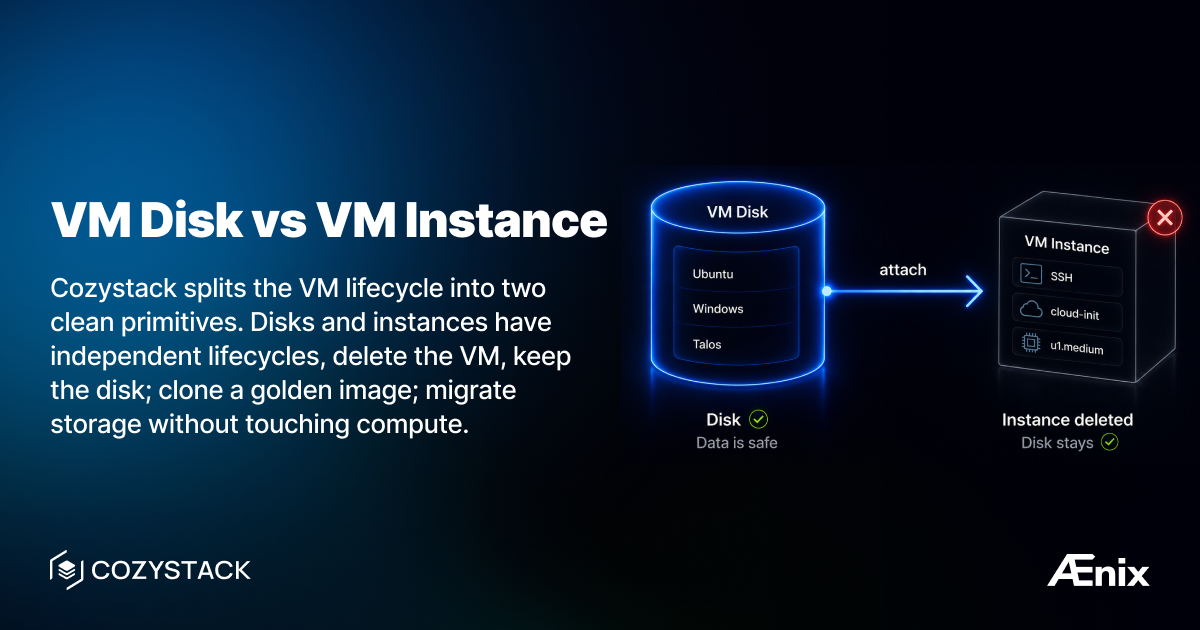
If you’ve used KubeVirt directly, you know the pain: VirtualMachine, VirtualMachineInstance, DataVolume, PVC — a maze of resources just to run a simple VM. And if you want to clone a VM, share a base image, or migrate storage independently of compute? Good luck wiring that together yourself.
Cozystack collapses that into two custom resources: VMDisk and VMInstance. They have independent lifecycles, and that’s the whole point — delete the VM, the disk stays; attach the same disk to a beefier VM later; clone a golden image once and reuse it for every new VM. Immutable infrastructure and fast provisioning fall out for free.
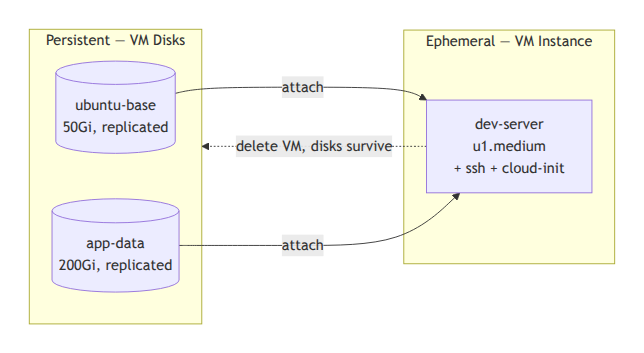
Side by side
| VMDisk | VMInstance | |
|---|---|---|
| What it is | Persistent block device | Running virtual machine |
| Lifecycle | Independent, survives VM deletion | Ephemeral — recreate any time without losing data |
| KubeVirt analog | DataVolume + PVC | VirtualMachine + VirtualMachineInstance |
| You configure | Source image, size, storageClass | Instance type, disks, SSH keys, cloud-init, GPU |
| Used for | Golden images, data disks, pre-provisioning | Compute, networking, user data |
Create a VM Disk
Via Dashboard: Catalog -> VM Disk -> set name, pick source image (Ubuntu, Windows, etc.), set size and storageClass -> Deploy.
Via kubectl:
apiVersion: apps.cozystack.io/v1alpha1
kind: VMDisk
metadata:
  name: ubuntu-base
  namespace: tenant-team1
spec:
  source:
    image:
      name: ubuntu
  storage: 50Gi
  storageClass: replicated
Sources also include http.url (download from a URL) and disk.name (clone an existing VMDisk for golden-image workflows).
Create a VM Instance
Via Dashboard: Catalog -> VM Instance -> name, instance type (e.g., u1.medium), attach the VMDisk, add SSH key and optional cloud-init -> Deploy.
Via kubectl:
apiVersion: apps.cozystack.io/v1alpha1
kind: VMInstance
metadata:
  name: dev-server
  namespace: tenant-team1
spec:
  instanceType: u1.medium
  instanceProfile: ubuntu
  disks:
    - name: ubuntu-base
  sshKeys:
    - "ssh-ed25519 AAAA... user@workstation"
  cloudInit: |
    #cloud-config
    packages:
      - nginx
The disks[].name field is the metadata.name of an existing VMDisk in the same namespace.
Access your VM
# Serial console
virtctl console dev-server

# SSH
virtctl ssh ubuntu@dev-server

# VNC (graphical)
virtctl vnc dev-server
Why these are separate CRs (and not Helm releases)
Under the hood Cozystack still uses Flux and Helm to roll resources out, but the user-facing API is the apps.cozystack.io/v1alpha1 group. You write a VMDisk or VMInstance, the Cozystack operator handles the HelmRelease/KubeVirt/DataVolume plumbing for you. Same applies to every managed service in the catalog — Postgres, Kubernetes, VPC, OpenBao all have their own native CRs.
Documentation
Join the community
- GitHub: cozystack/cozystack
- Telegram: @cozystack
- Slack: #cozystack on the Kubernetes workspace ( invite)
- Subscribe to our community meetings calendar
- Add meetings to your calendar