Managed PostgreSQL with Synchronous Replication — Without the Ops Headache
Setting up PostgreSQL with synchronous replication the hard way means Patroni configs, etcd clusters, pgBouncer, monitoring exporters, backup scripts, failover testing — easily a week of work before you even store a single row. And then you still need to maintain it. AWS RDS solves this but locks you into a cloud bill that grows faster than your data.
What if you could get managed PostgreSQL on your own hardware in two minutes?
The solution: Cozystack Managed PostgreSQL
Cozystack uses the CloudNativePG operator under the hood — one of the most mature Kubernetes-native Postgres operators available. You get automatic failover, streaming replication, and optional quorum-based synchronous replication, all managed by the platform.
Via Dashboard (the quick way)
- Open the Cozystack dashboard at
https://dashboard.<your-domain>. - Navigate to the Marketplace and find Postgres.
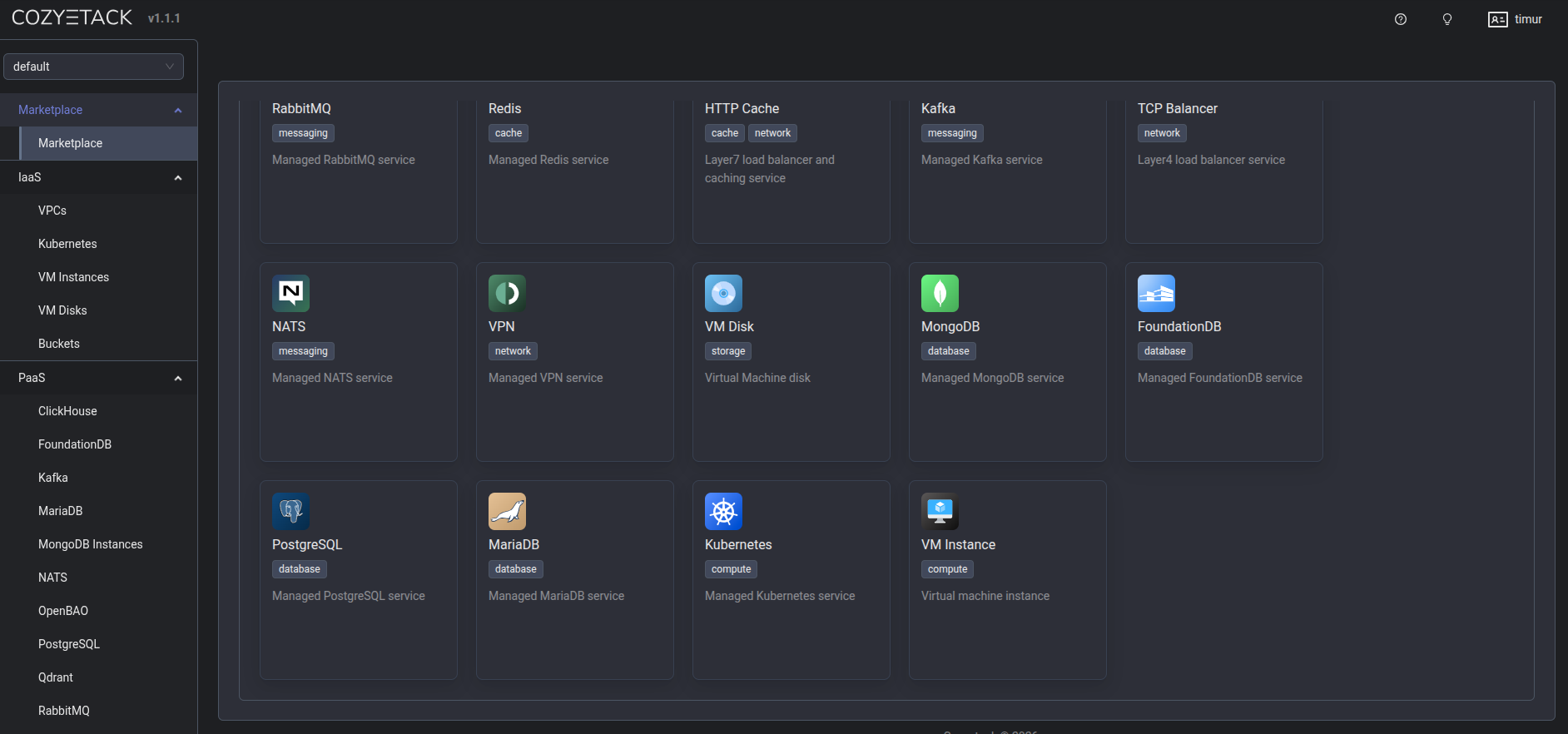
- Click Deploy and fill in the form:
- Enter a name (e.g.,
app-postgres). - Set replicas to
2(primary + standby with async replication) or3(for synchronous replication with quorum). - Choose your
resourcesPreset(nano, micro, small, medium, large). - Set storage size (e.g.,
10Gi). - Under PostgreSQL parameters, configure
max_connectionsif needed.
- Enter a name (e.g.,
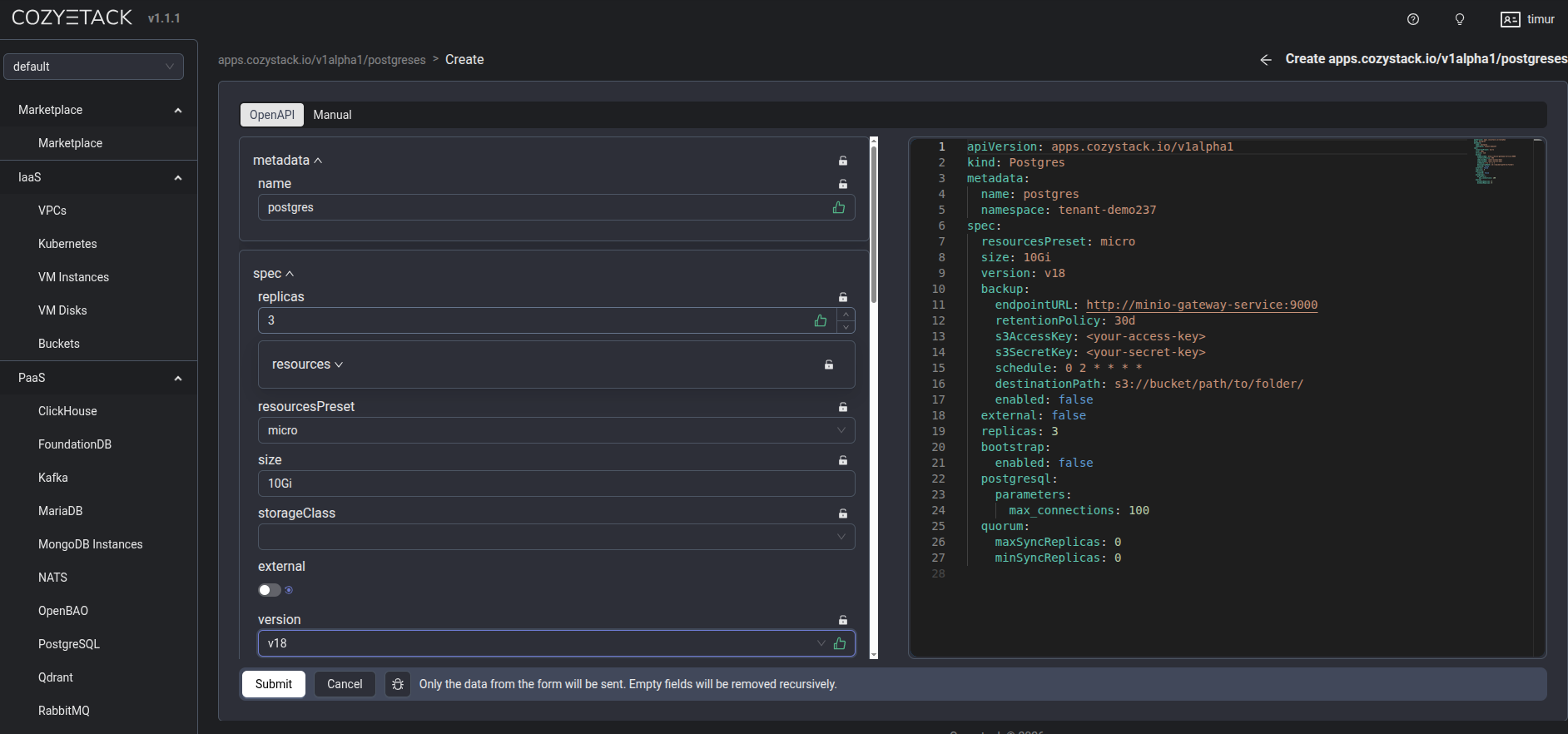
- Click Deploy. Within two minutes, you have a primary + replica setup with automatic failover.
Via kubectl (the GitOps way)
apiVersion: helm.toolkit.fluxcd.io/v2
kind: HelmRelease
metadata:
  name: postgres-myapp
  namespace: tenant-team1
spec:
  chart:
    spec:
      chart: postgres
      reconcileStrategy: Revision  # Reconcile on chart version change
      sourceRef:
        kind: HelmRepository
        name: cozystack-apps
        namespace: cozy-public
      version: 0.10.0
  interval: 0s  # Reconcile only on spec change, not periodically
  values:
    replicas: 3
    size: 10Gi
    resourcesPreset: small
    databases:
      production:
        roles:
          admin:
            - appuser
    users:
      appuser:
        password: "your-strong-password"  # or omit this line to auto-generate
    external: false
kubectl apply -f postgres.yaml
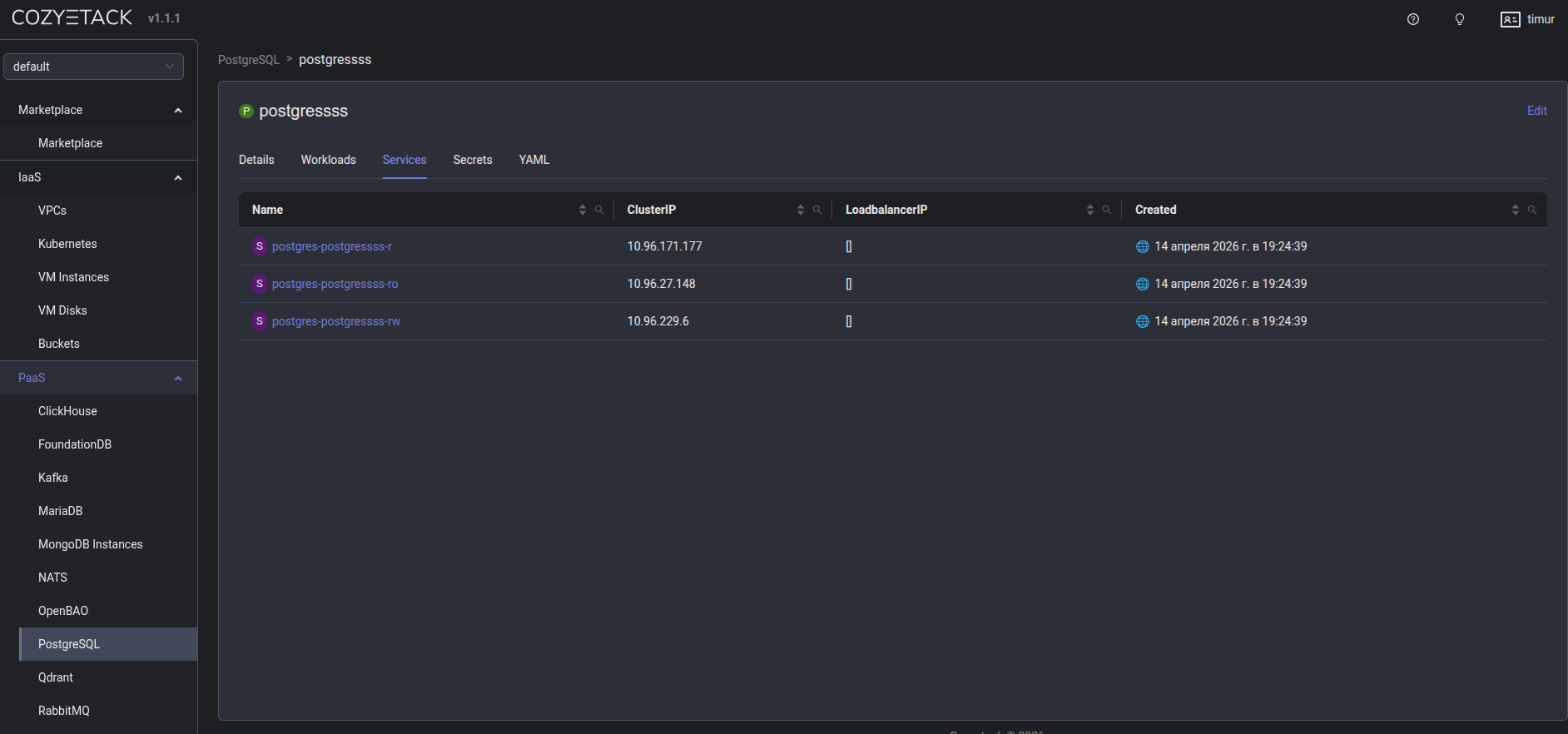
Getting connection credentials
# Primary (read-write)
kubectl get svc -n tenant-team1 | grep postgres-myapp-rw

# Replica (read-only)
kubectl get svc -n tenant-team1 | grep postgres-myapp-ro

# Password
kubectl get secret -n tenant-team1 postgres-myapp-app \
  -o jsonpath='{.data.password}' | base64 --decode
These service names are resolvable from any nested Kubernetes cluster in the same tenant — no external DNS or VPN needed.
Backups
Enable S3-compatible backup storage by setting backup.enabled: true in the values. Recovery is a one-line config change pointing to the source cluster name and an optional RFC 3339 timestamp.
Learn more
Join the community
- GitHub
- Telegram group
- Slack group (get invite at https://slack.kubernetes.io)
- Community Meeting Calendar